Anime Aura VFX Manual

Manual for Unreal Engine 5 asset Anime Aura VFX (NiagaraSystem)
Contents:
Abount Anime Aura VFX:
Store URL:
Anime Aura VFX in Visual Effects - UE Marketplace
Support:
mail : nkdtr2011@gmail.com
Brief:
Anime Aura VFX is a set of NiagaraSystem that shows flat shaped aura VFX as seen in animes.
Particle-based:
Not a flipbook but particle-based and have these benefits:
-The pose of characters are reflected into the shape of VFX
-Its behaviors and looks can be changeed dynamically
How to use:
Using Presets
More than 30 preset NiagaraSystems are also contained.
They can be used in place of NS_AuraEffect to shortcut setting parameters.
Manual Setup
Method 1:
- Duplicate NS_AuraEffect or another preset NiagaraSystem
- Modify parameters / emitters in it
This is recommended because the created NiagaraSystems can be reused (of course).
Method 2:
- Attach NiagaraComponent under SkeletalMeshComponent and set NS_AuraEffect
- Modify Override Parameters
The good point is that the effect can be previewed in the actual scene.
This process doesn't make changes in NiagaraSystem asset.
Parameter Detals
Please see this page:
Mechanisms:
This part is technical, for those who customizes aura effects.
Reading this may help you to take a more logical approach to achieve the target expression.
Overview
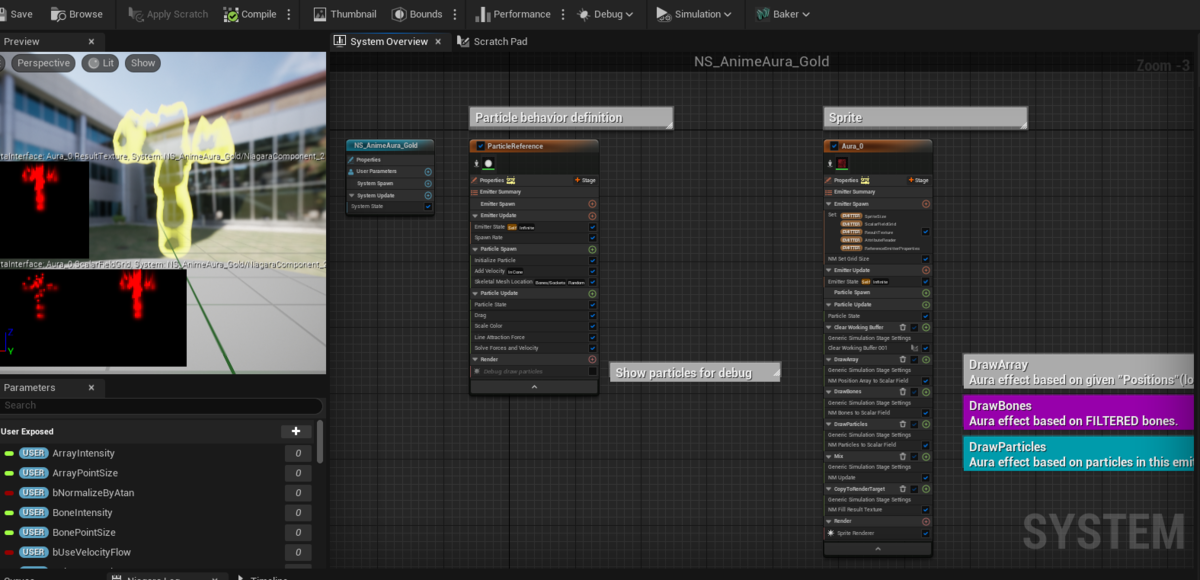
A NiagaraSystem in Anime Aura VFX has an emitter that controls particles (Particle Controller) and one that renders them into texture and shows as a sprite (Sprite Renderer).
Particle Controller

This is almost an ordinary emitter, like Fountain in the template.
But renderer is turned off and particles are not rendered in ordinary way.
Sprite Renderer reads positions and sizes of particles from this emitter.
By modifying this emitter, the behavior of the VFX can be customized (turning the renderer on should be convenient while working).
This can be done as an ordinary VFXs. It's OK to add forces / bursts.
Too many particles can be bad for performance, but Anime Aura VFX doesn't get much benefit from spawning large number of particles.
Sprite Renderer
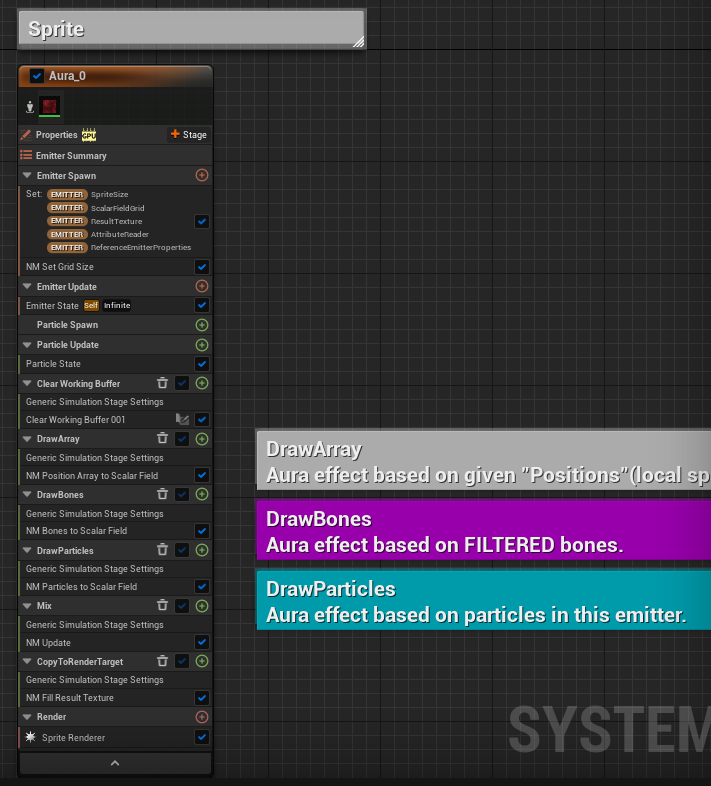
Sprite Renderer reads positions and sizes of particles from this emitter to render them into a texture and pass it to a material that is assigned to a sprite.
If attached to a skeletal mesh, positions of its bones and sockets can be used as virtual particles.
The main part of Sprite Renderer is in the Simulation Stage and it doesn't emit particles.
Since this is a composition of specialized modules, customization is not recommended for those unused to develop Niagara Systems.
But number of parameters are exposed as user parameters to help controlling the amount / size of aura VFX.
Drawing particles into texture
Sprite Renderer draws desity map according to the position and the size of particles relative to the view point.
Finally, the density map is blended with the previous frame.
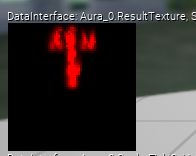
It is shown in the viewport of NiagaraSystem editor.
Since a T-posed skeletal mesh is referenced for previewing, the density map is also T-shaped.
Density map is one dimensional and it is shown red.
Mapping density to color via materials
Final draw color is decided in the material assigned to the sprite, using the value sampled from density map.
Sampling colors from a curve atlas is a typical implementation.
In this case, UVs for sampling from the density map and the sampled density can be processed in the material to give variations in appearance.
This material can also be changed in the NiagaraSystem user parameter, so those who are familiar with handling materials can create their own and achieve a variety of expressions.
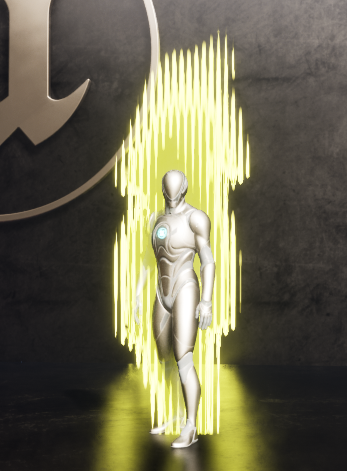
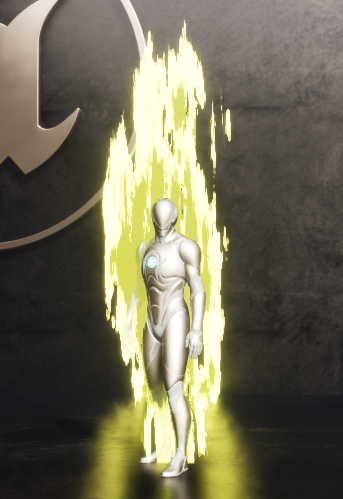
(example 1, 2) just by modifying materials (patterns/noises)

(example 3) particle controller and material
Limitations:
Multiple viewports not supported
Animi Aura VFX depends on view matrix (camera transform), that means this VFX is not seen correctly from 2 or more viewpoints at the same time. This happens when your application uses scene capture or has multiple viewports (ex. multiplayer by splitting screen).
There is an optional parameter "Custom Viewport" to choose the viewpoint from which the VFX should be seen correctly(typically a SceneCapture2D will be set).
